The challenge
← All projects 
Case Study
Tidy Portal
Deliver finished work through a branded portal, not a Drive folder.
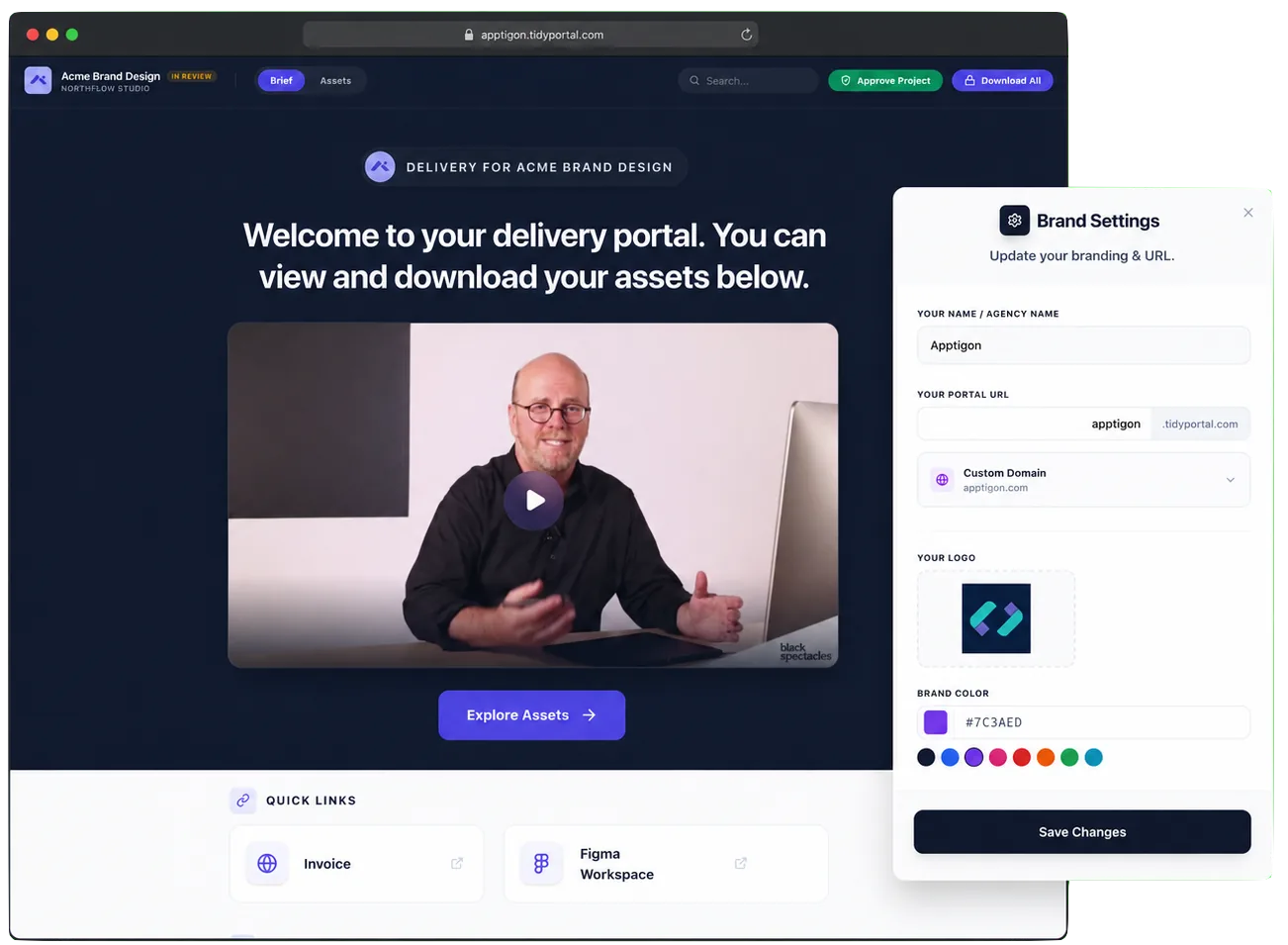
Share selected Drive files from your own domain without uploading another copy.
Why Tidy Portal exists
The approach
Keep selected files in Drive, then give clients one place to view, approve, and access them.
How it works
01
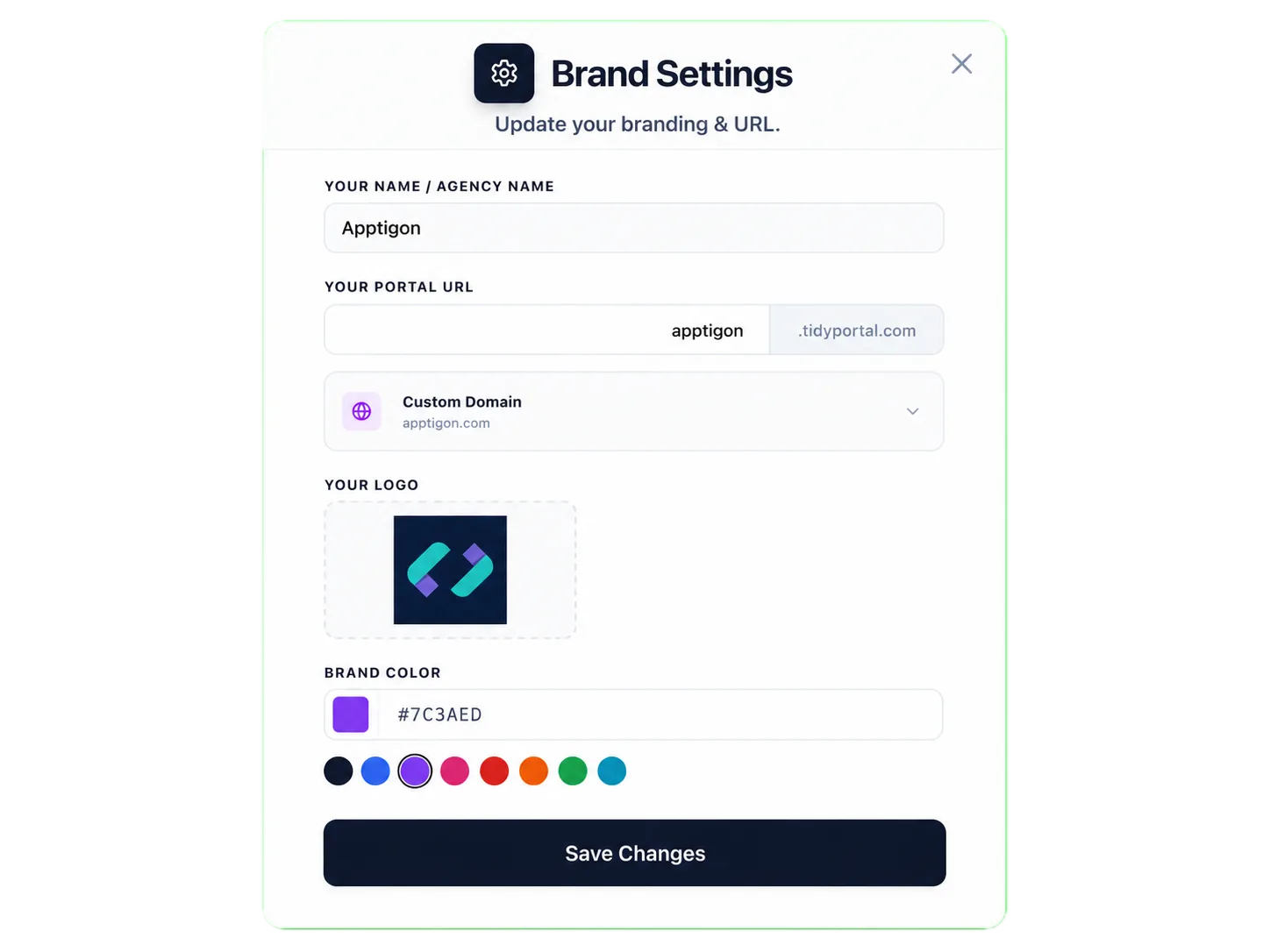
Set up your brand
Sign in with Google, then add your logo, name, main color, and custom domain.
02
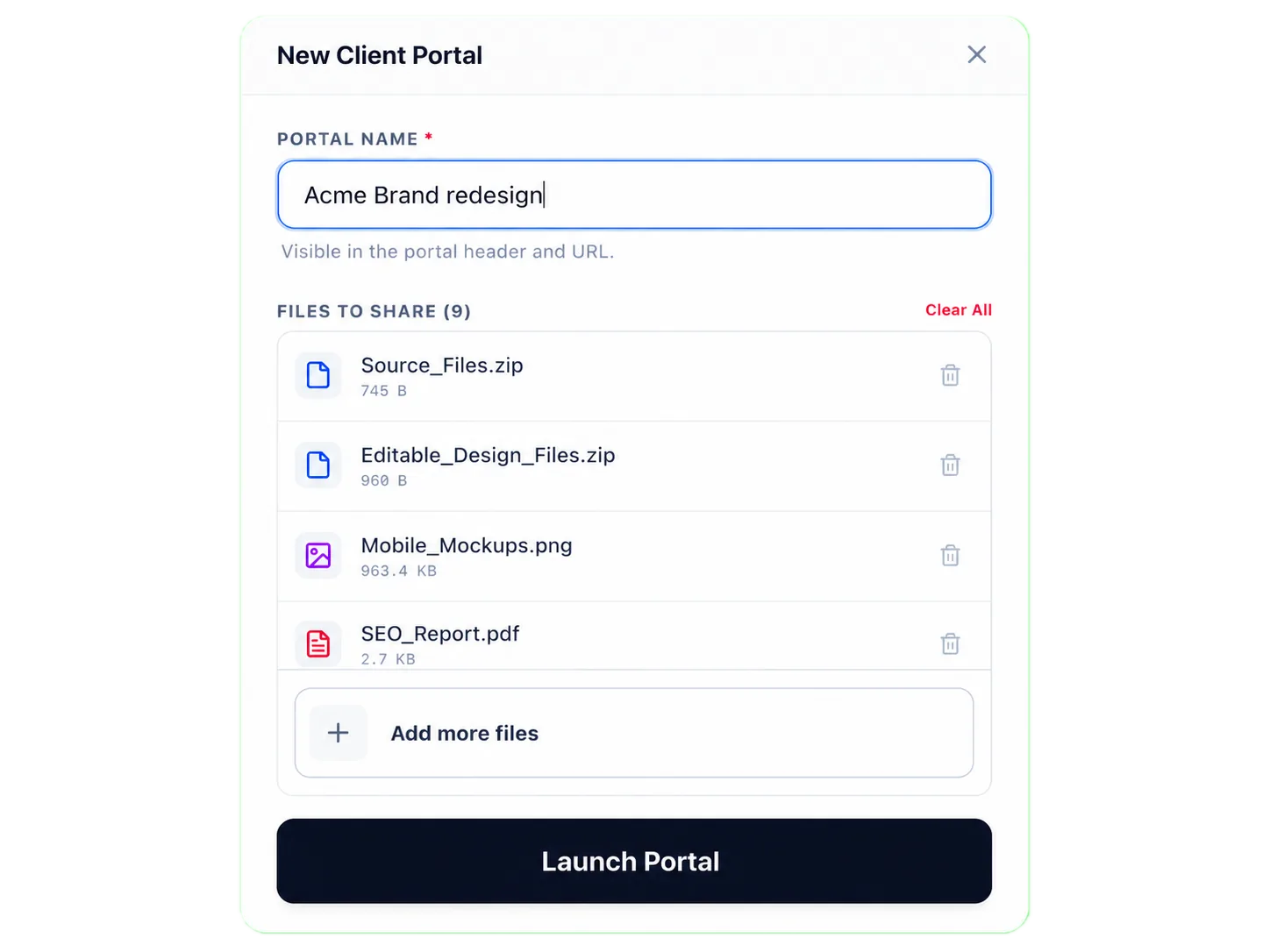
Choose the files to deliver
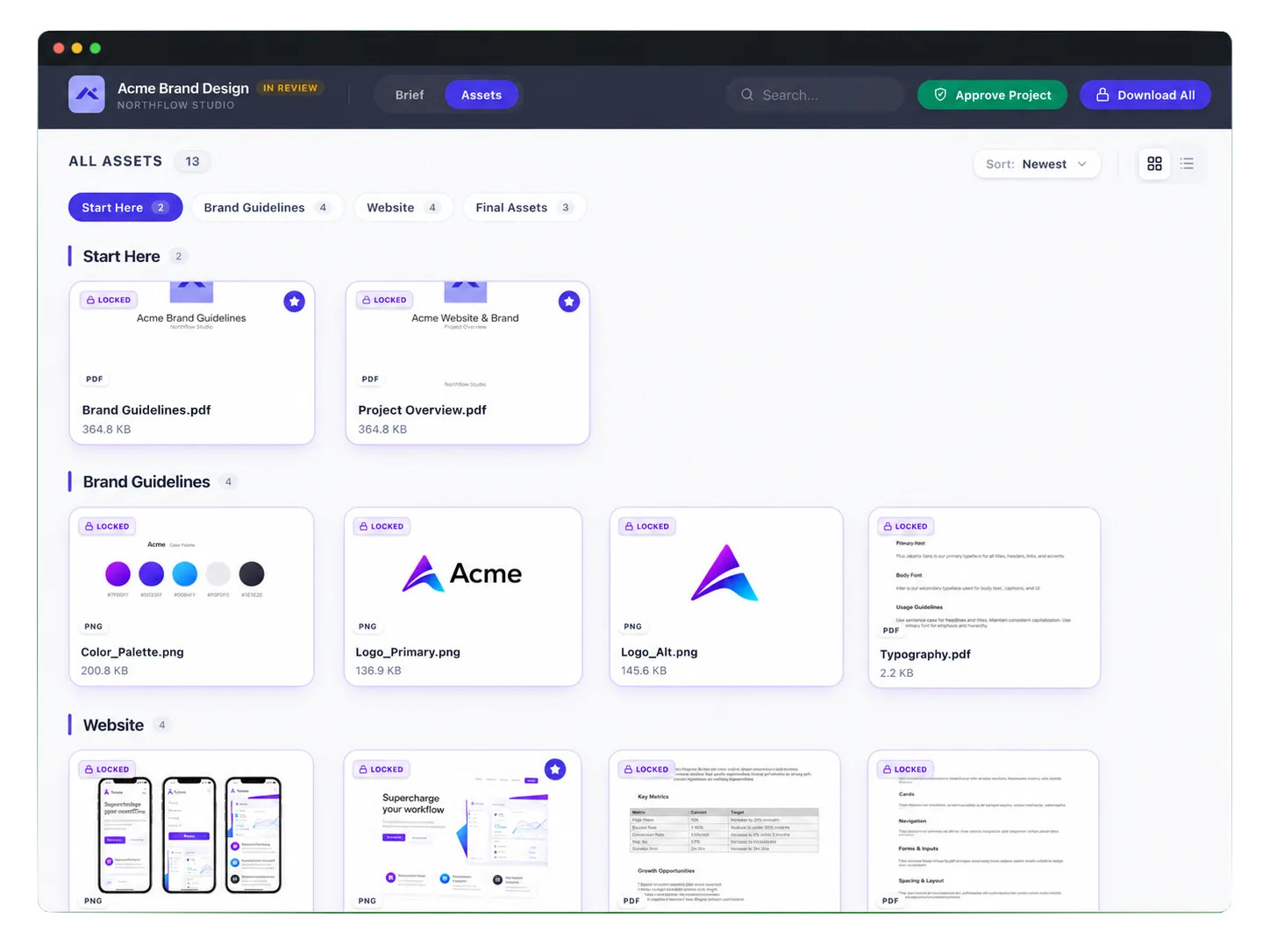
Select files from Google Drive without uploading them again. Changes to selected files sync automatically.
03
Customize the portal
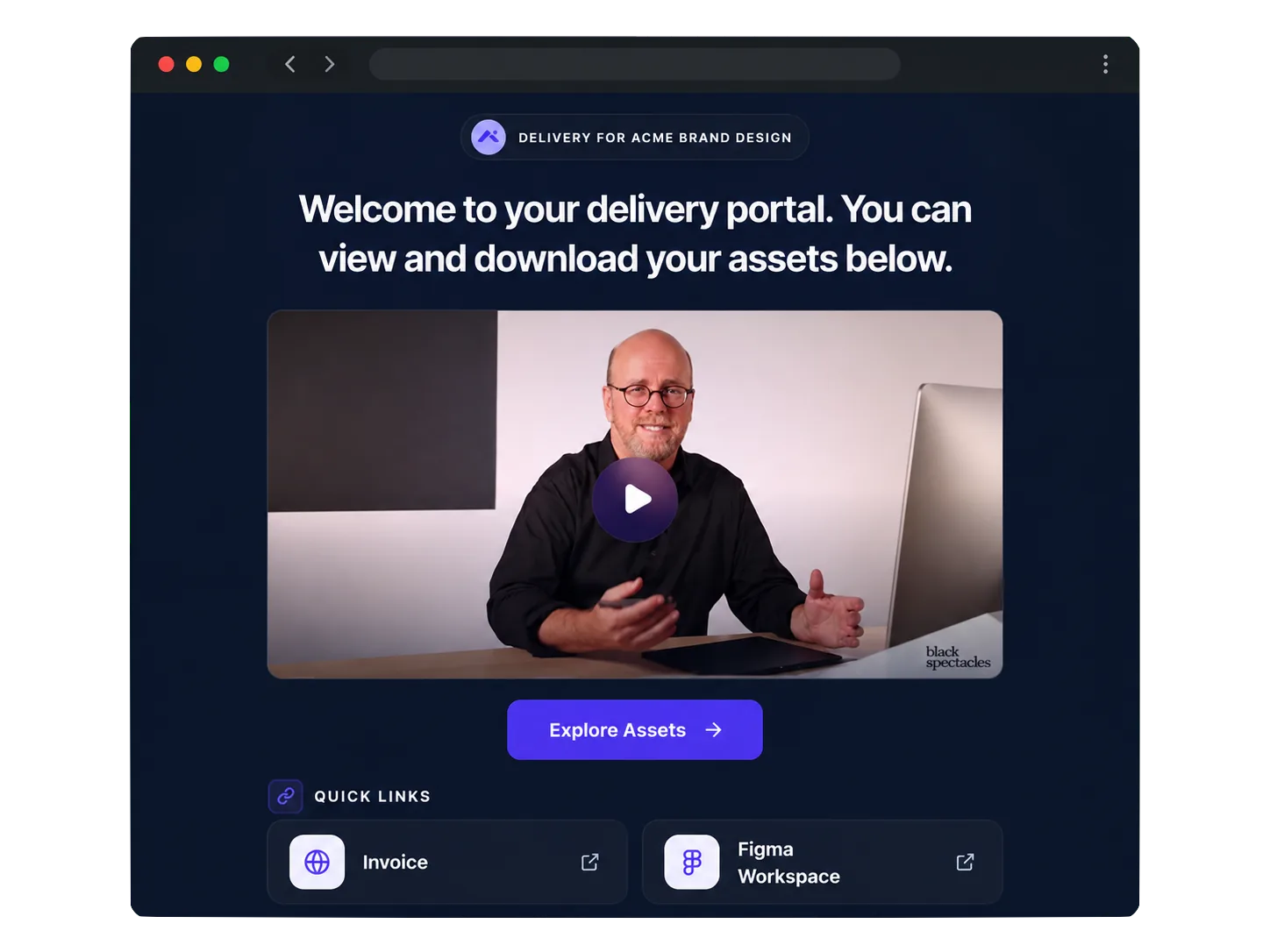
Add a welcome message, video, pinned files, external links or sections when the project needs them.
04
Send and manage delivery
Share the portal, protect downloads, restrict access to specific emails, get an open notification, and let the client mark the project approved.
What I built
A client delivery product that turns selected Drive files into a portal clients can use right away.
Product / Frontend
- Built onboarding and dashboard workflows for branding, portal setup, file selection, and access controls.
- Built client views for sections, pinned files, welcome content, protected downloads, and project approval.
Platform / Routing
- Used Next.js route handlers and server actions for portals across those routes.
- Used Vercel Edge Functions to serve file previews, including video previews.
Drive / Access
- Connected Google Drive so creators can choose files already in their Drive instead of uploading a second copy.
- Added selected file sync, email access checks, protected downloads, open notifications, and client approval.
Engineering decisions
The Drive access and sync choices that keep delivery simple for creators and safe for clients.
Keep files in Google Drive
Using Drive directly removes a second upload for creators and avoids storing another copy of every file.
Request access to selected files only
Creators select the files that belong in a portal. Tidy Portal does not need broad access to their entire Drive.
Keep selected files in sync
When a selected Drive file changes, the portal updates too, so creators do not need to resend a new link.